See me blink
Install Node.js 24, npm, Bash and a C++17 compiler, then run these commands. No model or hardware required.
Full getting-started guideYOUR FAMILY AI AGENT PET
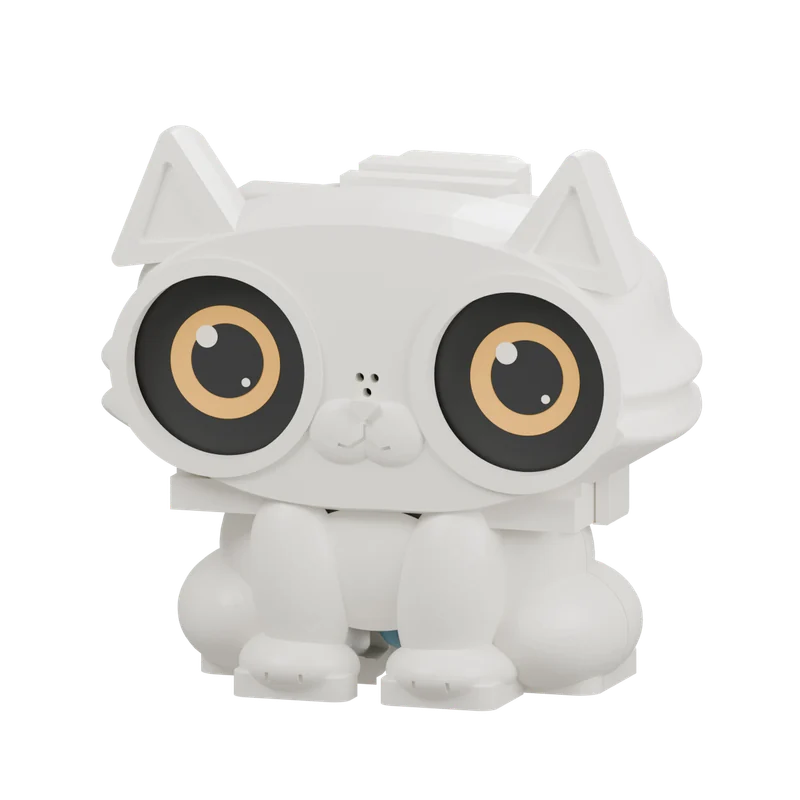
I’m Hi Pikoo, a little family AI Agent pet on your desk. Tell me about your day, ask for a bedtime story, or let me help keep track of the little things that matter.
01 / QUICK START
No board yet? Start with the desktop eye simulator, then build a companion for your desk.
Install Node.js 24, npm, Bash and a C++17 compiler, then run these commands. No model or hardware required.
Full getting-started guideConfigure your own Live model service, Gateway and device credentials to start a real conversation.
Set up voiceAdd the dual-eye board, a speaker and USB power. Flash the firmware and fit an enclosure you like.
Firmware and installation# Local graphics demo · no API key needed
git clone https://github.com/skiyo/pikoo.git
cd pikoo
(cd server && npm ci --ignore-scripts)
bash tools/start-dualeye.sh
Open http://127.0.0.1:8793/dualeye. The default is a local graphics and test-tone demo. Real voice needs your own service configuration and microphone permission.
02 / LIFE WITH HI PIKOO
Say “Hi Pikoo” naturally. Once my eyes open and I greet you, we can keep talking.
Say the full phrase “Hi Pikoo” to wake me from standby.
I’ll greet you when the connection is ready. You don’t need to repeat my name for every turn.
Say goodbye to me. Once I finish my farewell, I close my eyes and rest.
In standby, wake-word detection runs on the device. After waking, I connect to the voice service you configure.
Oh? What did you find?
A question, a story, or something that happened today — it all gives us something to talk about.
Recent conversations and family memory help us pick up a topic when we meet again.
I can help search for information, read web pages, and manage shopping and to-do lists.
Pick an expression and get to know me.
03 / HOW IT WORKS
Live handles speech, Terra handles delegated tasks and background work. The Gateway persists text, summaries, family memory and lists. Keys and family profiles stay on your server.
The device captures audio, plays responses and displays expressions on its two round screens.
Explore the hardwareHi Pikoo combines a native Live Provider, Terra delegation, sessions, family memory and tools on this runtime.
View on GitHubRecent text restores topics, digests bound history and long-term memory keeps suitable family facts. Shopping and to-dos live in separate lists.
Read the memory designTerra can use configured search, public-page reading and family lists. Add further MCP tools to suit your needs.
Explore tool integration04 / MADE BY YOU
From expressions and enclosures to firmware and the Gateway. Give me new eyes, add a tool, or explore the layer that interests you. Make Hi Pikoo your own.
The cat face, base and carrier form one main body. Add the cover and rotary lock: just three printed parts. Download the original STLs and print in the order 03 → 01 → 02.
STL files include the main shell, rear cover and rotary lock. Check board, speaker and assembly dimensions before printing.
Read printing & assembly instructionsfirmware/main/Connect the board, microphone, speaker and dual displays to bring the device together.
firmware/components/pikoo_core/Manage audio, session state, playback and cancellation on the device.
firmware/components/pikoo_eyes/Render the eyes and control gaze, blinking and expression animations.
firmware/simulator/Run Hi Pikoo on your computer to refine expressions and interaction flows.
server/Compose the Agent runtime and connect realtime models, memory and tools.
training/Prepare, train and evaluate local wake-word models.
tools/Launch, build, flash and diagnose your device.
docs/Find architecture, deployment, hardware and development guides.
05 / BEFORE WE MEET
For a physical build, use the Waveshare ESP32-S3-DualEye-LCD-1.28, a compatible speaker, USB power, 2.4GHz Wi-Fi and your own Gateway. The graphics simulator needs no board.
Hi Pikoo is an open-source DIY project. You provide the hardware, deploy the services and configure them. Start with the graphics demo, which needs no API keys.
Local wake detection does not upload standby audio. Live conversation and online tools require an internet connection. Spoken replies are currently in Chinese by default.
Costs depend on the model, server and external tool services you choose.
Memory is managed by the server you deploy; realtime voice also passes through the model service you configure.
Original code, graphics and documentation use Apache-2.0. Wake weights and model-containing firmware carry separate non-commercial terms and source attribution. Child recall and endurance still need real-world validation.
Your turn to say hello.
Hi Pikoo!